

The Threads Memory System I Built For My AI Assistant
Everyone is building complex AI memory systems. Mine is a folder called /threads.

I got tired of re-explaining myself to AI every single session. So I built a knowledge system called thread files.
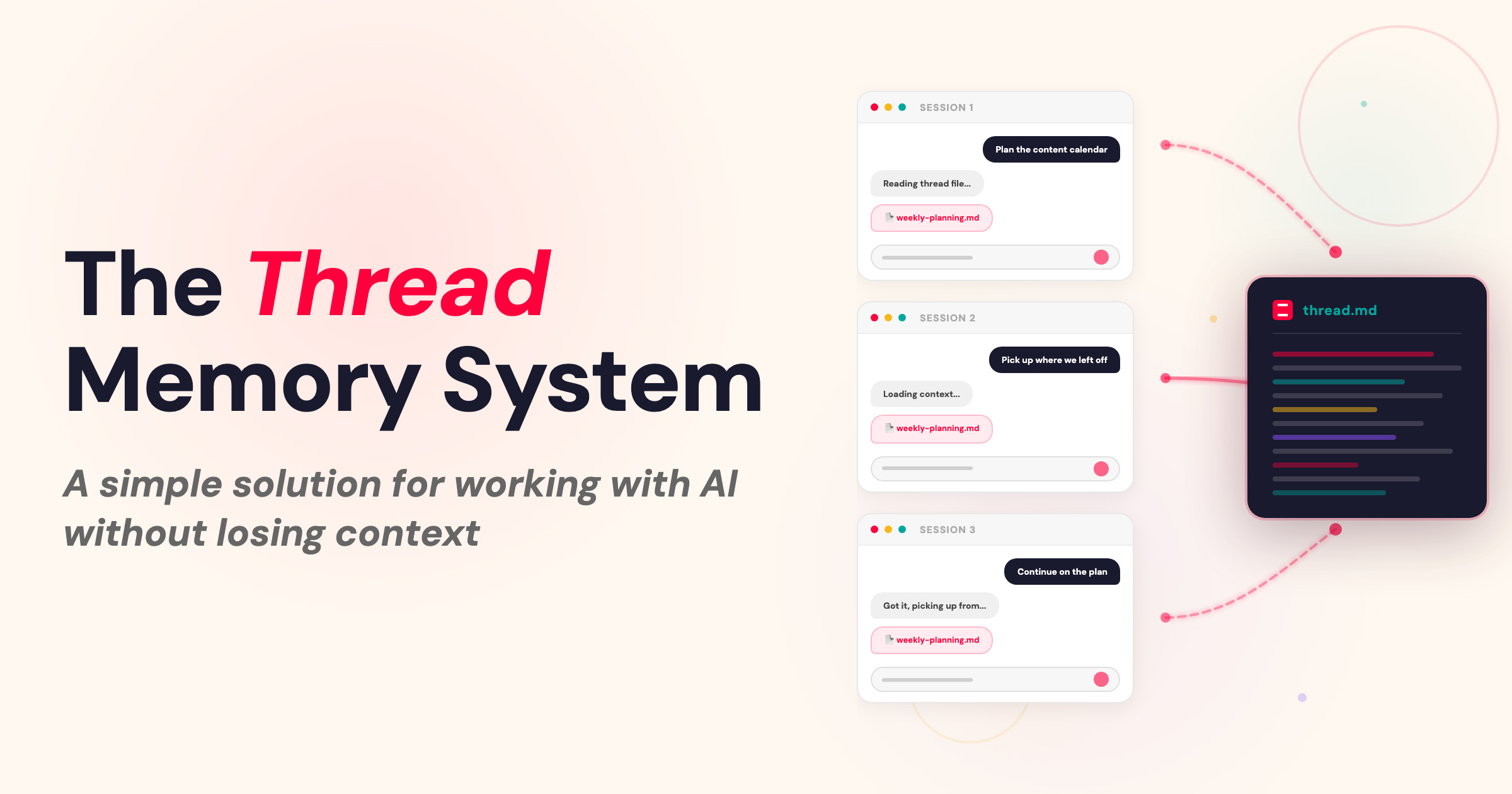
I work everyday with my AI chief of staff (Chad) in Claude Code. Not just one-off questions, but big operational work — client projects, workshops, content strategy, business planning. The kind of work that takes weeks and spans multiple sessions.
But because AI has no real persistent memory, every session felt like we were starting completely fresh. If we’re halfway through a client project and I come back tomorrow, Chad has no idea what we did yesterday.
It was like working with someone who had amnesia. And I got tired of it.
The Real Cost of Lost Context
AI’s memory problem isn’t just inconvenient. It fundamentally limits how helpful AI can be in your work & business. When you have to re-explain context every time you open a conversation, three things happen.
1. You stop going deep. When it takes 10 minutes to explain a complex project to AI you end up cutting corners. You reduce what you can do with AI to shallow work, rather than having it be an actual operating partner.
Projects stall. If you leave a conversation in the middle of work and then come back tomorrow, you have to spend half the first conversation getting AI up to speed. So projects end up sitting there, half done because it’s just too hard.
You burn cognitive energy on the wrong thing. Every session starts with you acting as AI’s external hard drive. “Here’s what we’re working on. Here’s what we did last time. Here’s where we’re up to.” That’s energy you should be spending on thinking, deciding, creating.
I lived this pattern for months before I realised what was actually happening. I wasn’t using AI as a thinking partner. I was using it as a very expensive search engine that occasionally helped me draft things.
Why Knowledge Systems Work for AI Too
As someone who has kept my own knowledge system for years (& taught hundreds of others to do the same), I wondered to myself... if my system helps me externalise notes, drafts, plans, decisions & half formed ideas over days and months. Maybe AI would benefit from something similar.
And it turns out I was right.
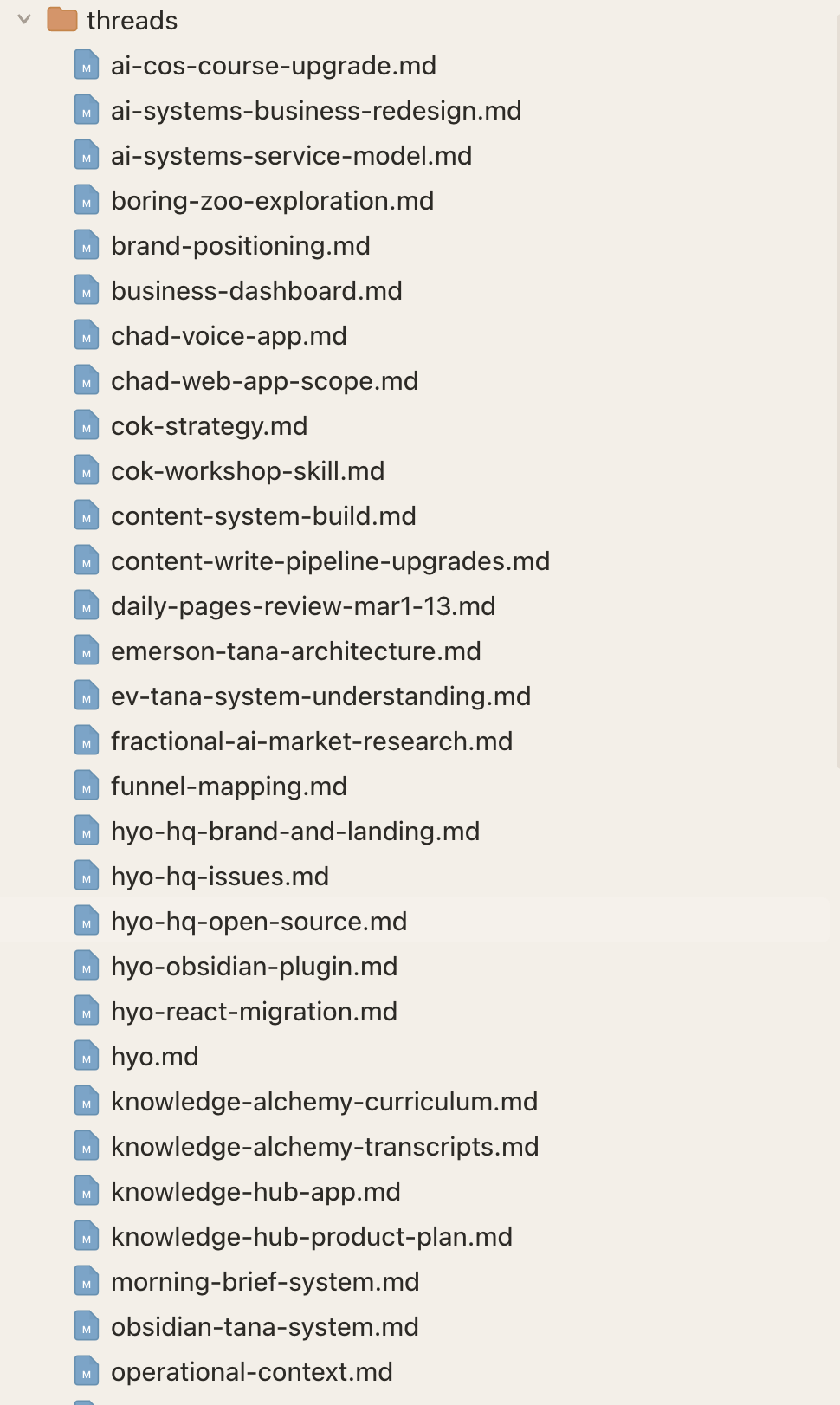
Here’s what I did:
I set in my Claude directory for Chad a folder called Threads.
I created a new skill for Chad called “Save Thread” that tells Chad what to save, the format and where to save. Essentially I told him - write whatever you think will help you re-jig your memory if we had to pick this up from scratch.
I started asking Chad to save a thread on projects that I thought would span multiple conversations or that I wanted him to have context in future conversations.
When I start a new conversation that needs prior context I just ask Chad to check the thread and we pick up without skipping a beat.
Now I can do things like this - Chad, I was just talking to x client and they said the proposal is confirmed. So we can go ahead and start working on phase 1. Chad goes and finds the thread file, catches himself up and we don’t miss a beat together.
I was honestly so surprised at how easy and simple this was. I literally never have to explain myself anymore when starting new chats. Chad is smart enough to scan through the threads folder and pick up the context he needs. And I went from AI is kind of helpful if I loaded him up with context - to a true operating partner in my business.
What Actually Goes in a Thread File
At first I didn’t pay much attention to what Chad put in the files. But over time we’ve perfected the structure so it’s easy for him to remember everything:
1. Status. Where we are in the process. What’s done, what’s pending, what’s waiting on someone else, what’s next. This is what lets me open a conversation three days later and say “let’s keep going on that client project” without having to explain where we left off. Chad already knows.
2. Internal context. This is where we keep information about the decisions we made and why. The directions we tried that didn’t work. My preferences that emerged during the work. The things I pushed back on.
This is what prevents us from going in circles every new conversation. So Chad isn’t suggesting things that I already said no to. This is what makes it feel like AI truly knows you and the project.
3. Worldview/Why. This is something new I’ve been experimenting with and it’s made a massive difference. I try to explain to Chad WHY we are doing something and my perspective on it. It’s amazing when you explain why how much better AI becomes (because you are both on the same page)
4. Assets. I also including anything that we actually produce together. I produce a lot of assets (content, scripts, drafts, etc.) so it helps to have all that context in the one file (or point to where Chad can find it). Tana is still my main knowledge base for a lot of this, so quite often it’s just Tana Node ID’s so he can grab the context if he needs.
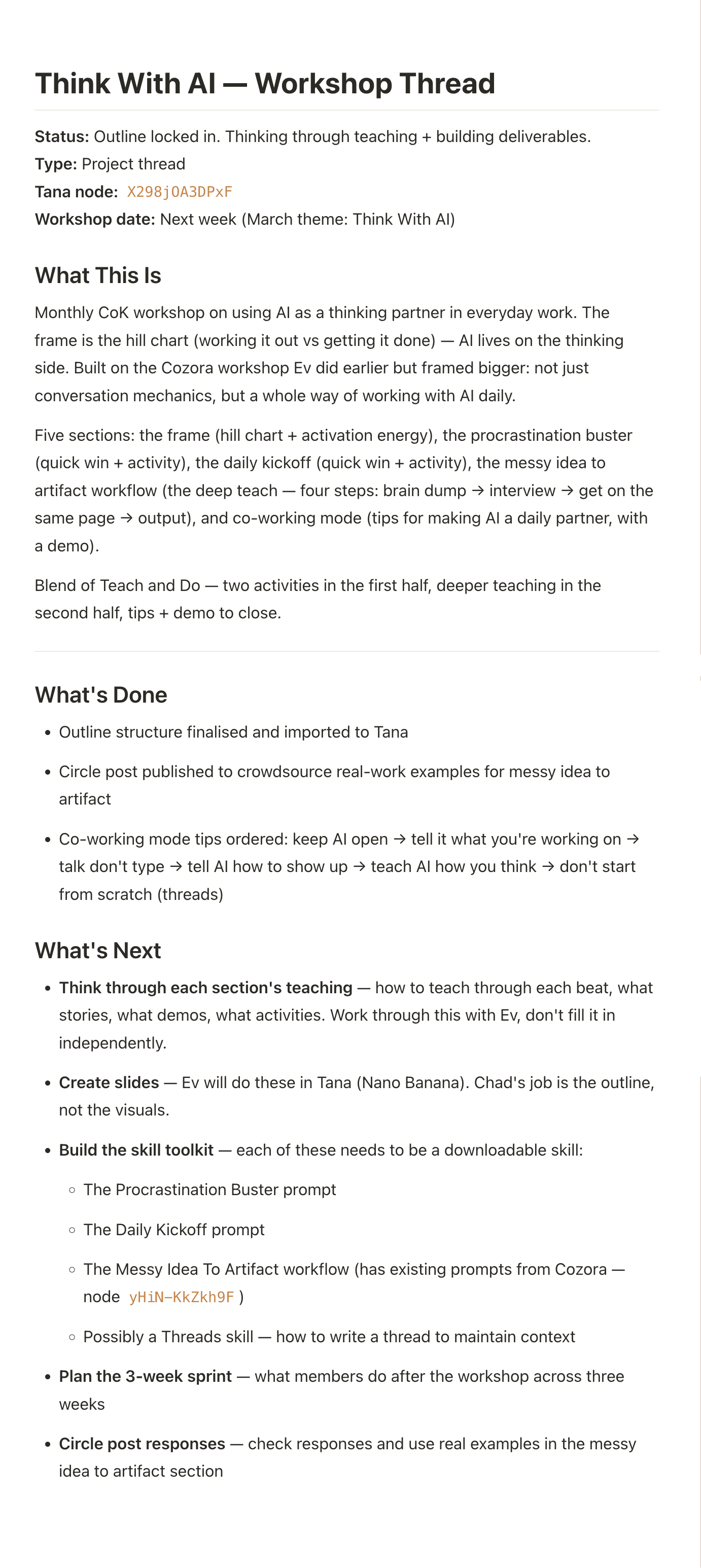
I don’t write or maintain any of these thread files. It’s Chad’s job (and he does an amazing job of it). In the thread skill and in our Claude.md file it’s explicit that the threads folder is his knowledge base and he is responsible for maintaining it and keeping it up to date.
Right now I have three types of thread files Chad keeps updated.
Operational context. We keep threads for all the major operational parts of my business - sales, marketing, my brand, products, membership, quarterly planning, business strategy, etc. This means I can have pretty intelligent conversations with Chad and he knows all the context.
Project-specific threads. We have one project thread for all the current projects we are working on from client projects, to products I’m building. It’s incredibly useful because I have multiple conversations over days and weeks on these.
Recurring work threads. We keep threads for weekly planning, content, youtube videos. Anything that recurs weekly in the business for we have a thread for it.
How to Build Your Own Thread File System
The actual setup is simpler than you’d think. I suggest using Claude Cowork or Code for this because AI can actually create, edit, access and maintain files. Normal Claude Chat can’t do that.
Step 1: Create a threads folder
When you open up Cowork or Claude you can choose a folder on your computer. This is your directory. I suggest creating one that you use exclusively for your AI Assistant (mine is literally in dropbox called Chad). Get your Ai to create a folder called Threads in that directory.
Step 2: Build a save thread skill
Ask your AI assistant to build itself a skill to save threads. A skill is just a reusable instruction that codifies a workflow so it can do it consistently. Here’s the prompt I use with Chad:
Before we wrap up this session, save a thread file to the /threads folder for this project. Include: Assets (everything we produced this session — outlines, drafts, plans, system maps — the actual content, not just a summary). Status (what’s done, what’s pending, and what’s next). Internal context (any decisions we made, directions that were rejected, and preferences expressed — anything that will help you pick this back up without me having to re-explain). Update the existing thread file if one already exists for this project.
Now every time you want to save a skill your AI assistant knows where to save it and what should go into it.
Step 3: Add instructions to you claude.md file or custom instructions.
When you work with Cowork or Claude the claude.md file gets loaded into every conversation and it’s THE place to put persistent context that you want loaded in every conversation.
Ask Claude to create one if you don’t have or update the one you have with the details of how threads works, where the thread folder is, the skill, etc. What you’ll find when you do this is that Claude will go ahead and suggest to create the files rather than you always asking.
Alternatively you can just use this prompt to setup the whole system:
We’re going to set up a threads folder as your persistent memory system. This will let us work on projects across multiple conversations without me having to re-explain context every time.

**What are threads?**
Threads are markdown files that hold the running context for ongoing work. Each thread captures what we’re working on, what’s done, what’s next, decisions we’ve made, and anything that will help you pick this back up without me having to re-explain everything.

**Set up the full system:**

1. **Create a threads folder** in my working directory

2. **Create a “Save Thread” skill** (if your system supports skills/custom instructions). The skill should:
   - Save thread files to the /threads folder
   - Include in each thread:
     - **Status** — what’s done, what’s pending, what’s next
     - **Context** — decisions made, directions rejected, preferences I expressed
     - **Assets** — actual content we produced (drafts, outlines, plans) — not summaries
     - **Why** — my perspective or reasoning on the project if I’ve shared it
   - Update existing thread files rather than creating duplicates

3. **Add instructions to my CLAUDE.md file** (or create one if it doesn’t exist):
   - Explain that the threads folder is YOUR knowledge base and you maintain it
   - When I reference an existing project or say “pick up where we left off,” you should check the threads folder first and load the relevant context
   - You can proactively suggest creating or updating threads for multi-session work

Once everything is set up, let me know what you created and confirm you understand how the system works.
Then the first time you work on a project that will take more than one session just tell your AI assistant to create a thread file for it.
Then next conversation tell it to read the file and pick up the conversation. Any time you work on that project with AI just ask it to update the thread. Chad is so good now that he’ll actually pro-actively suggest creating and updating the threads. He knows how important they are to him and to me.
Important to note that this doesn’t replace my own Knowledge System. Chad still has access to my Tana and can grab any context he needs from it. But this is how own knowledge system that he maintains.
The Shift You’re Actually Making
When I tell people I have an AI chief of staff, this is what I mean - I have a working partner with a knowledge system of his own, who keeps track of what we’re working on, remembers the context, and picks up where we left off without me having to explain everything again.
If you’re trying to do serious work with AI — not just quick hits, but real operational work that spans days and weeks — this is what makes the difference between using AI like a tool and working with AI like a partner.
PS. If you want to get more out of your AI systems I’ve got two new things I’m launching that might help:
I’m building a course called Build Your Personal AI Operating System — where we go beyond prompting chatbots and build an all-in-one AI system that can actually operate and support you in your business & work. Founding members get early access and early pricing. So join the waitlist to be first in line.
Last week I hosted a workshop called Think With AI where I showed my exact system for working alongside AI every day to get REAL work done. If you weren’t able to make it in person - I have made it available as an evergreen workshop.
Worth examining:
https://github.com/lorespec-org/lorespec
Posted by someone in the Nate B Jones chat
Done. Thanks Ev. Saving files to a google drive too, so that Claude Chat can access them.