

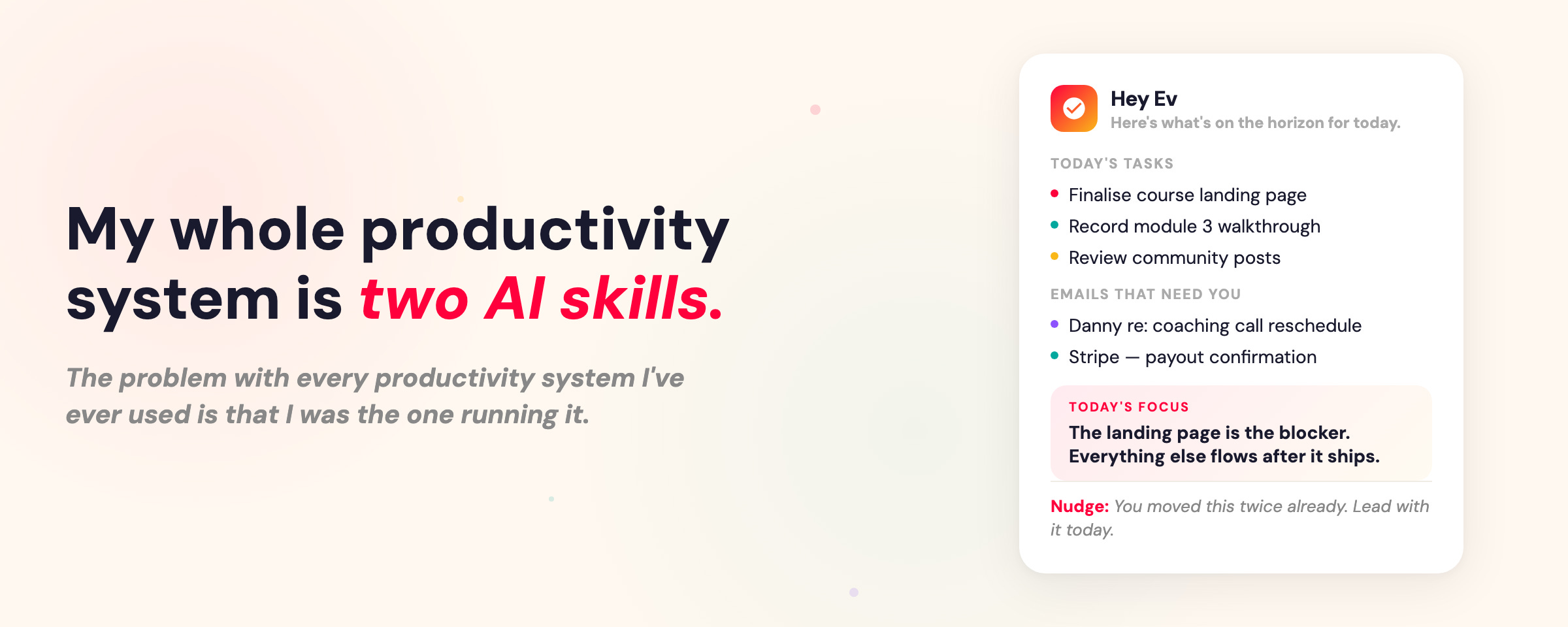
My whole productivity system is two Claude AI skills.
How I stopped running my own productivity system and let my AI chief of staff handle the hard part.

The problem with every productivity system I’ve ever used is that I was the one running it 🫣
I’d set goals for the quarter. Make plans. Feel motivated. Buy the planner, set up the Notion template, commit to the weekly review.
Then three weeks in, I’m busy every day but I have no idea if what I’m doing actually connects to what I said mattered.
And I don’t think this is a discipline problem. I think we massively underestimate how much cognitive work it takes to stay on track with our goals.
Think about what actually goes into a proper weekly review. You need to pull together your big picture plan, what happened last week, your calendar, project status, competing priorities. Then you need to somehow synthesise all of that into a clear plan. In one sitting. On a Sunday evening when you’d rather be doing literally anything else.
No wonder it never stuck.
So I Handed the Whole Thing to My AI Chief of Staff
A few months ago I built an AI chief of staff in Claude Code. His name is Chad, and among the many things he does, there are two skills that have completely changed how I work.
The Weekly Planning Skill + The Morning Brief Skill.
And as I’ve been reflecting on this quarter I realised that these two skills alone have given me the most focused quarter I’ve even had in my business.
I feel so much clarity everyday that I’m working on the right things, I don’t have that nagging feeling that there are things I’m missing, and I’ve been able to ship a tonne of projects that have been hanging on since last year.
So let me tell you about these two skills and how you can get them setup for yourself.
Skill 1: The Weekly Planning Skill
This skill gets me in alignment for the week, and it’s everything I always wanted a weekly planning workflow to be. The difference is I’m not responsible for most of it.
At the beginning of every week we run this skill and Chad does the following:
Pulls my quarterly goals, what shipped last week vs. what was planned, and project status across everything I’m working on
Scans my calendar for the next two to three weeks and asks: what can we do this week to make next week easier?
Surfaces work I’ve forgotten about. Tasks that slipped, projects that haven’t moved, things I committed to that fell off my radar
Presents the full picture so we can plan the week against the what I said was important this quarter, not in isolation.
That last part is what makes this different from any weekly planning I’ve ever done. Before, I was always planning in a vacuum. What do I feel like doing this week? What seems urgent? I was always reacting, not planning from intention.
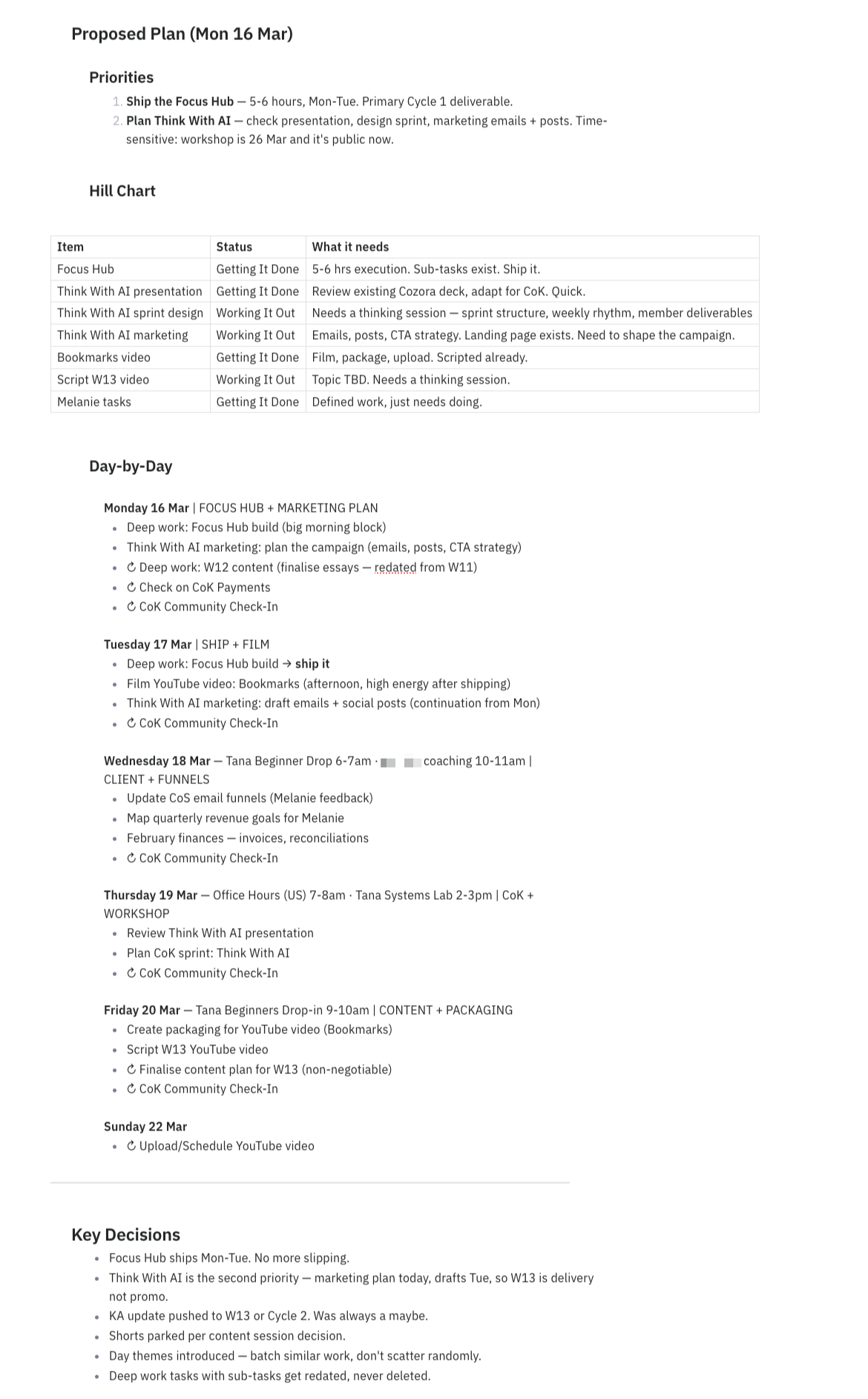
Now, Chad pulls the quarterly goals and we look at the week through that lens. He’ll flag that I haven’t touched a project that’s supposed to ship this month. He’ll point out that I’m overloading Tuesday when I already have three meetings. He’ll ask if something I’m planning to work on actually connects to anything I said mattered this quarter.
(it’s the kind of stuff I used to when I was a chief of staff!)
In less than 20 minutes I walk away with a plan for the week that’s in alignment with my larger goals & my business.
Skill 2: The Daily Brief
The weekly skill sets the direction. The daily skill keeps me on track.
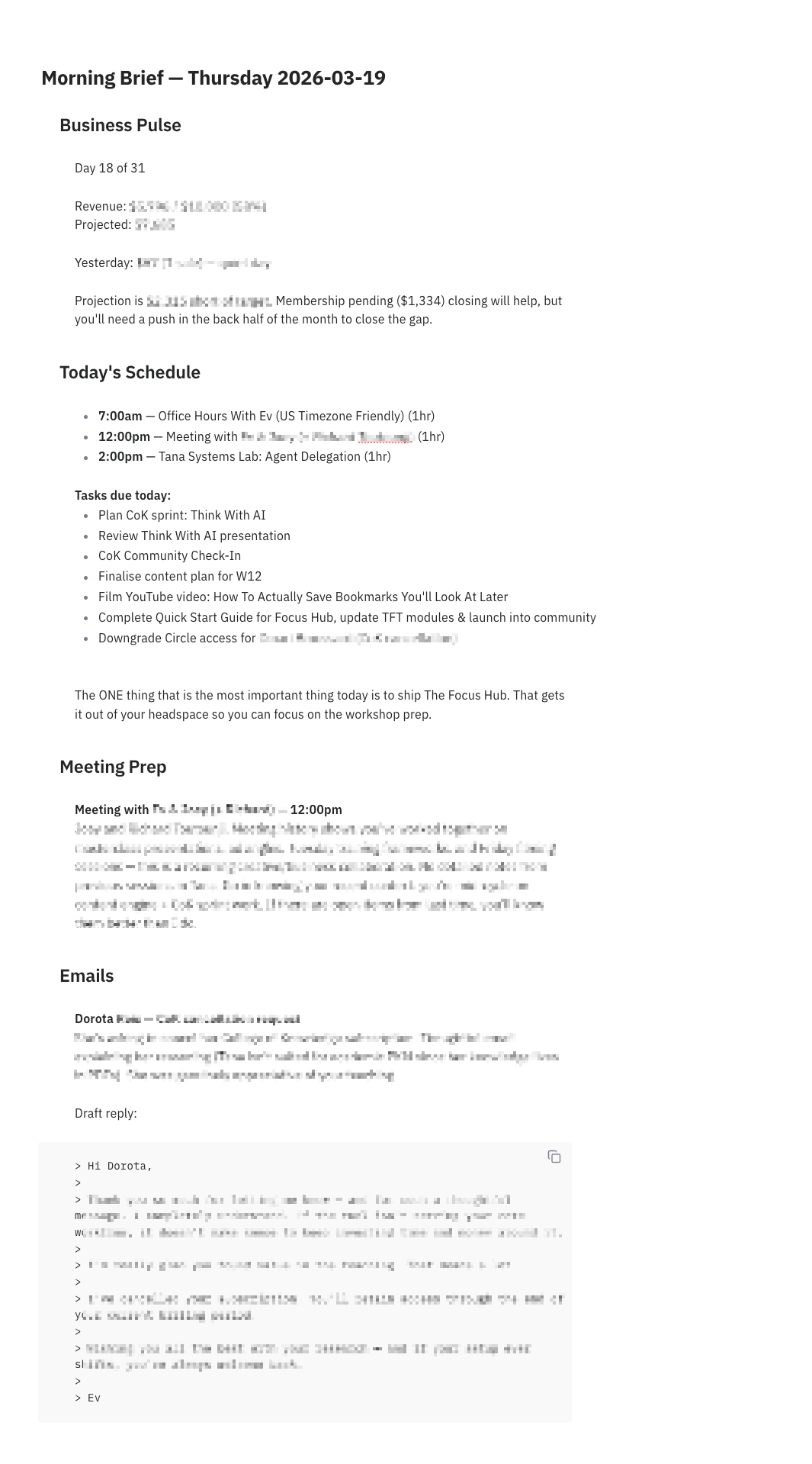
During the daily check-in sill Chad does this:
Pulls today’s calendar, tasks, and anything overdue
Triages my email and drafts responses for the urgent ones
Gives me a business pulse on where my revenue is for the month.
Identifies the ONE thing that moves the needle most today
Gives me a nudge on anything that’s been slipping or I’ve been avoiding
That last point matters most. Because here’s the thing about running a solo business: there’s nobody to notice when you’re quietly dodging something. No manager checking in, no team asking where that thing is. It’s just you, and I find it very easy to let important-but-uncomfortable work slide (sometimes for too long!)
But Chad notices & he knows how to show up for me.
If I’ve been pushing something back for three days, he’ll call it out. Not aggressively, just a quiet flag that this keeps moving to tomorrow. And that’s usually enough to make me deal with it.
In five minutes every morning I’m clear on what to work on, what’s happening in my inbox, and what matters most today. Before I’ve even finished my coffee.
Here is what you’re going to need to set this up:
1. A Claude or ChatGPT Account. Skills are built into every level of Claude from desktop, cowork and code. Personally, I use Claude Code and I think it’s the most underrated tool for business owners (but I’ll talk about that in another newsletter edition). If you want to use ChatGPT you’ll need to use their codex account to setup skills.
2. Context! Seriously if you want to upgrade your AI workflows star to think more about what context it needs than the actual prompt. If you want to run your daily operations with AI it’s going to need:
Big Picture Context. What are your quarterly goals and plans.
About You. What you do, what is your role, about your business.
A running weekly thread that it can keep up to date with where you are at, priorities, etc.
3. Access to tools. If you want your AI Chief of staff to triage your inbox, or check in on monthly sales, or any number of things then it also needs access to the tools you use. You can connect all your main apps like gmail, calendar, stripe, crm’s, slack, etc.
Once you have all of that gathered and connected the best way to build these skills (and by the way skills are just repeatable workflows that the AI uses to complete a process consistently) is to just DO the workflow with AI - I call this the Skill Building Loop:
DO the workflow. Explain to AI that you want to create a repeatable workflow and you’re going to use this session to work out the process and then turn it into a skill.
Save the SKILL. At the end of the session say to Claude: Now turn this into a repeatable skill in your directory so that we can do this again next week/tomorrow/etc.
DO it again. Next week run the skill (literally you just say to Claude run the weekly planning skill) and treat this like another training session. If things go wrong don’t get mad. Just treat it like a systems problem. When you’ve got to the end of that second session tell Claude - is there anything that we learned in today’s session that we can use to upgrade the skill?
Keep ITERATING. And keep doing that until the skill runs perfectly. I find I probably do 3-4 rounds before I feel like it’s really running smoothly. And then it runs smoothly FOREVER.
Want to see these workflows in action? I filmed a video recently showing each skill step by step:
Chad Doesn’t Skip Weeks
Here’s why this is better than any productivity system that I’ve tried in the past. Chad doesn’t skip weeks.
He doesn’t have off days. He doesn’t wake up on a Monday feeling unmotivated and decide the weekly review can wait. Every single morning he shows up with the same thoroughness. Every single week the plan gets made.
When I’m left to my own devices I start eager and then life happens and it all gets too hard and I’m chasing my tail again. But when I know all I have to do is say - Chad let’s plan our week - the rest of the process just seems.... easy.
And there’s a compounding effect to that consistency. When you actually stay in alignment with your goals for an entire quarter, instead of drifting after three weeks, the results are different. I’m not just getting more done. I’m getting the right things done.
I spent years trying to be more disciplined about productivity. More consistent with my reviews. Better at tracking my goals. And I kept failing, because I was asking myself to do the thing I’m worst at: sustained, repetitive information processing with no creative upside.
Turns out the most productive thing I ever did was stop being in charge of my own productivity.
I still make all the decisions. I still set the direction. But the operational work of staying on track, the pulling together, the synthesising, the remembering, the nudging? That’s Chad’s job now.
And he’s better at it than I ever was.
PS. If you want to get more out of your AI systems I’ve got two new things I’m launching that might help:
I’m building a course called Build Your Personal AI Operating System — where we go beyond prompting chatbots and build an all-in-one AI system that can actually operate and support you in your business & work. Founding members get early access and early pricing. So join the waitlist to be first in line.
In a couple of weeks I’m hosting a workshop called Think With AI where I show you my exact system for working alongside AI every day to get REAL work done. Would love to have you join me.
I appreciate how you built short term, long term, and awareness of the difference between the two into your system. I think that's what's been missing from mine. I did my first scheduling experiment with Gemini today and I have to say it was somewhat liberating.
Two skills is smart and I should have started there honestly. I built a much bigger system instead (full autonomous agent running over 3,000 tasks, product creation, analytics, the works) and the lesson was identical: simpler setups produce better outcomes every time.
The cognitive burden of managing the management system becomes its own productivity tax that nobody accounts for. There's an optimal complexity level for these things and I overshot it dramatically before figuring out I needed to scale back. Less really is more with AI tooling.